Bug #7024
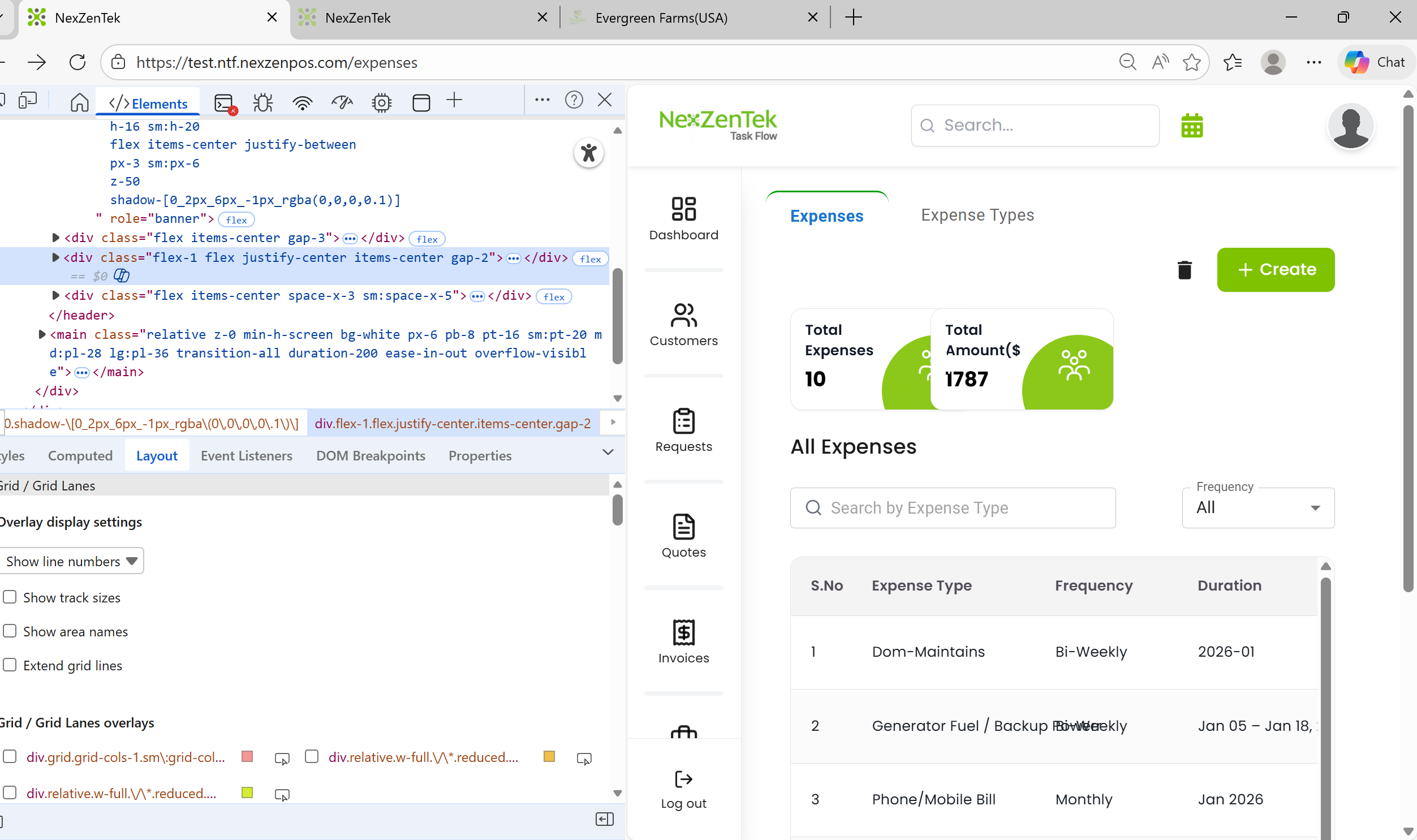
openExpense Page – Inspect Opens in two pages cards are not displayed properly.
Start date:
01/21/2026
Due date:
% Done:
0%
Estimated time:
Tested Date:
01/21/2026
Raised by Tester:
Sravani
Description
Steps to Reproduce:
Go to Expenses page
Click the Inspect option
Actual Result:
Expenses page and Inspect page open in the same tab and cards are not displayed properly.
Expected Result:
Inspect page should open correctly without affecting the Expenses page layout.
Files
Subtasks
Related issues
No data to display