Bug #6707
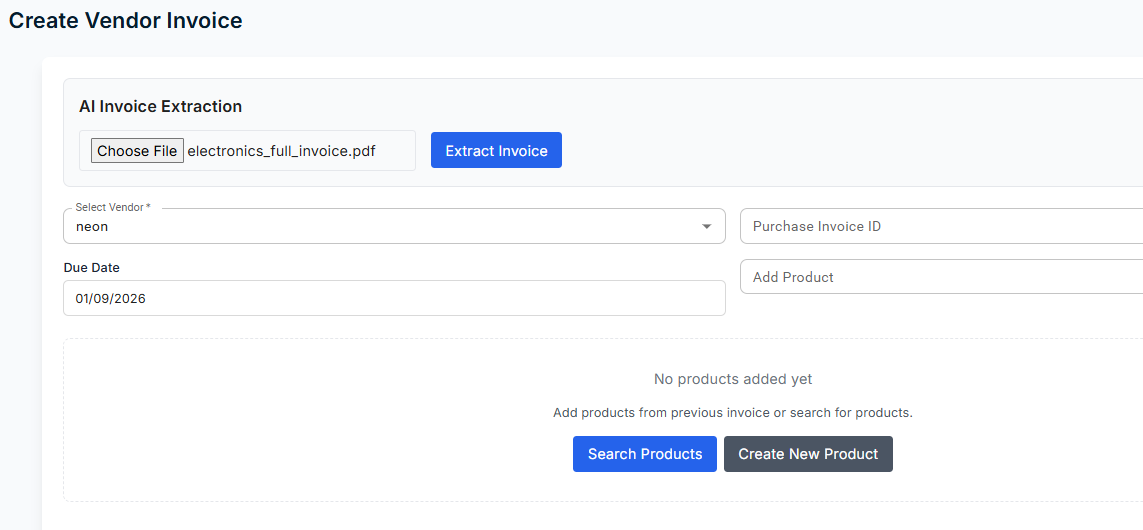
openCreate Vendor Invoice – Search Products button not working
Start date:
01/09/2026
Due date:
% Done:
0%
Estimated time:
Tested Date:
01/09/2026
Raised by Tester:
Mahananda Sai
Page/ Module (POS):
purchases - vendor invoices
Description
Steps to Reproduce:
1. Go to Create Invoice page.
2. Click "Create Vendor".
3. Select a vendor from the list.
4. Click on the "Search Products" button.
Actual Result:
The "Search Products" button does not respond and no product list or search popup is displayed.
Expected Result:
Clicking "Search Products" should open the product search panel and display all available products for selection.
Impact:
User cannot add products to the invoice, blocking the entire invoice creation workflow.
Files
Subtasks
Related issues
No data to display