Feature #6503
closedFeature #6499: Delivery Tracking
Add Delivery Filter on Sales Page Based on Deliverability and Shipping Charges
Description
Enhance the Sales page by adding a delivery filter with three options: Deliverable, Non-Deliverable, and All.
When Deliverable is selected, display only sales where shipping charges are greater than zero.
When Non-Deliverable is selected, display sales where shipping charges are zero.
When All is selected, display all sales without filtering.
This will help users quickly identify delivery-based sales and improve sales tracking and reporting.
Shipping Charges > 0 → Deliverable
Shipping Charges = 0 → Non-Deliverable
Files
Subtasks
Related issues
Updated by Chandra Sekhar 9 months ago
- Due date set to 01/07/2026
- Status changed from New to In Progress
- Estimated time set to 4:00 h
Updated by Chandra Sekhar 9 months ago
- % Done changed from 0 to 50
created a global calendar component
Updated by Chandra Sekhar 9 months ago
- File clipboard-202601071838-zffgx.png clipboard-202601071838-zffgx.png added
- Status changed from In Progress to Closed
- % Done changed from 50 to 100
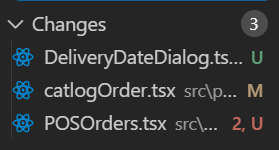
Created a new page in admin orders with "POS Orders" and created the EJS files when delivery date or delivery status are changed and given to Kalyan bro