Bug #5762
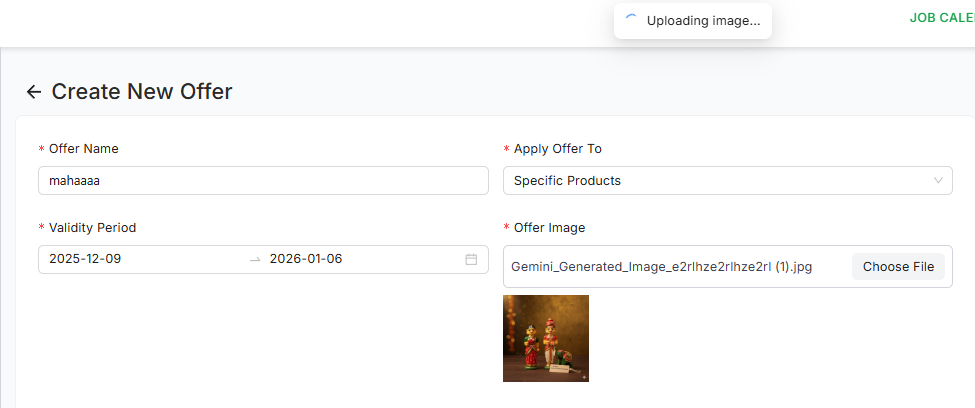
openOffer Creation – Image upload keeps showing loading spinner even after upload is completed
0%
Description
Environment: Production / Testing
Module: Offers → Offer Creation → Image Upload
Steps to Reproduce:
Go to Offer Creation page.
Fill basic details (Offer Name, Date, Discount, etc.).
Click Upload Image.
Select any valid image file (JPG/PNG).
Wait for the upload to finish.
Actual Result:
Image uploads successfully (file is stored).
But the uploading loader/spinner keeps showing and does NOT disappear ❌
UI still shows “Uploading…” status even though image is uploaded.
User cannot confirm whether upload is completed.
Sometimes Save button also becomes confusing because loader never stops.
Expected Result:
After a successful image upload:
Loader/spinner should stop immediately.
UI should show:
Uploaded image preview, OR
A message like “Upload successful”.
No continuous loading animation.
User should clearly know upload is done so they can proceed to create the offer.
Files
Subtasks
Related issues
No data to display